TL;DR: In this project we simulate the behavior of a NOR logic gate using an Arduino, two slide switches, and an LED in Ayantrik Lab. The switches act as inputs, the NOR gate processes the logic, and the LED turns ON only when both inputs are LOW, demonstrating the inverted behavior of OR logic.
The Problem / Why This Matters
Digital electronics works using logic gates, which are the basic building blocks of all modern electronic systems.
Logic gates are used in:
- Computers
- Microcontrollers
- Embedded systems
- Robotics
- Digital circuits
Before learning advanced electronics, it is important to understand how basic gates work. One of the most important gates is the NOR Gate.
The NOR gate is also a universal gate, meaning all other logic gates can be built using only NOR gates.
In this tutorial, we will simulate the NOR gate using Ayantrik Lab, so we can see how digital inputs control the output without building the circuit physically.
Basic Theory of NOR Gate
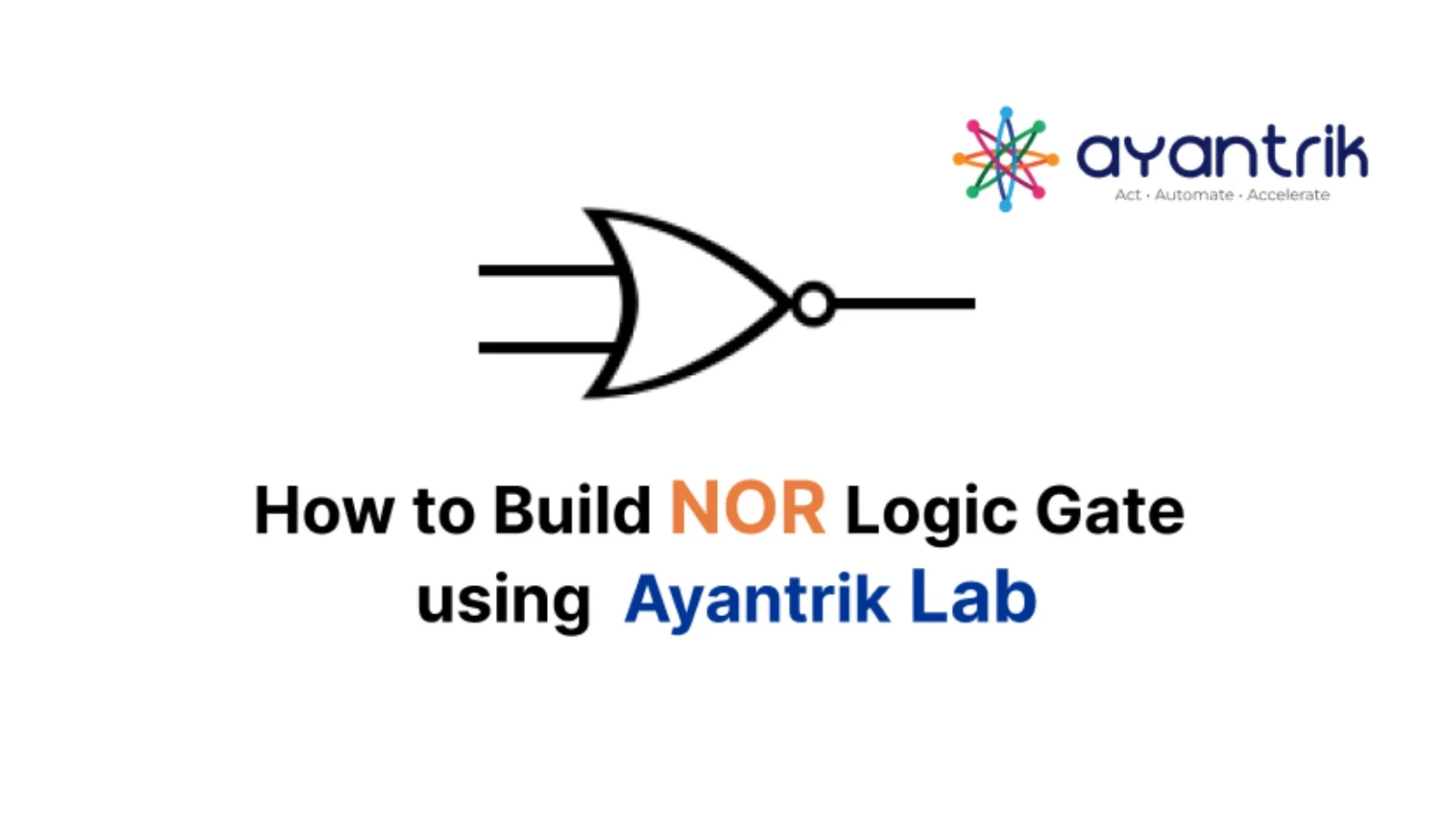
A NOR Gate means NOT + OR.
It first performs OR operation, then inverts the result.
- Two inputs (A and B)
- One output (Y)
The output becomes HIGH only when both inputs are LOW.
Boolean Expression
Y = (A + B)'
This means output is NOT of (A OR B).
Truth Table of NOR Gate
| Input A | Input B | Output Y |
|---|---|---|
| 0 | 0 | 1 |
| 0 | 1 | 0 |
| 1 | 0 | 0 |
| 1 | 1 | 0 |
Explanation:
- If both inputs LOW → Output HIGH
- If any input HIGH → Output LOW
In this project:
- Slide Switch 1 → Input A
- Slide Switch 2 → Input B
- NOR Gate → Logic processor
- LED → Output indicator
Prerequisites
Components used in this project:
- Arduino Uno
- 2 Slide Switches
- NOR Gate
- LED
All components are available in Ayantrik Lab component library.
Steps to Create the Project in Ayantrik Lab
1. Open a New Project
Open Ayantrik Lab and create a new project.
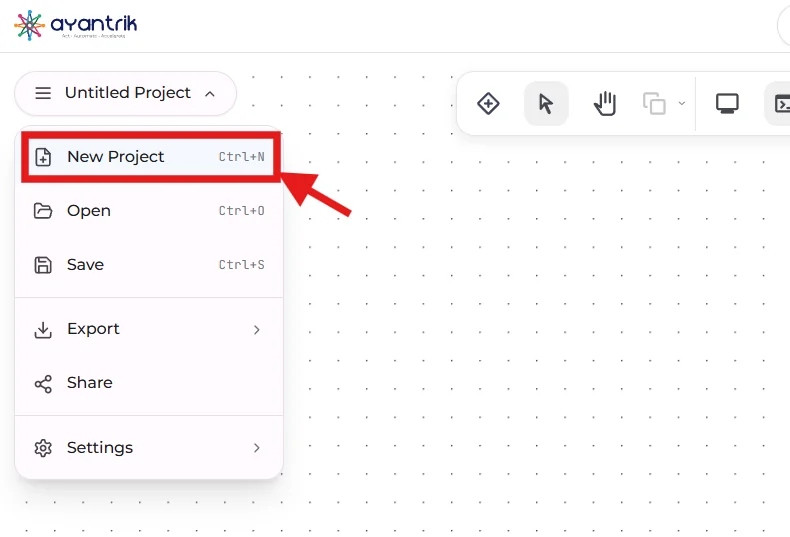 Create New Project
2. Add Components
Click Add Components from the toolbar.
 Toolbar
Search and drag the following components:
- Arduino Uno
- 2 Slide Switches
- NOR Gate
- LED
Arrange them properly on the canvas.
3. Make the Circuit Connections
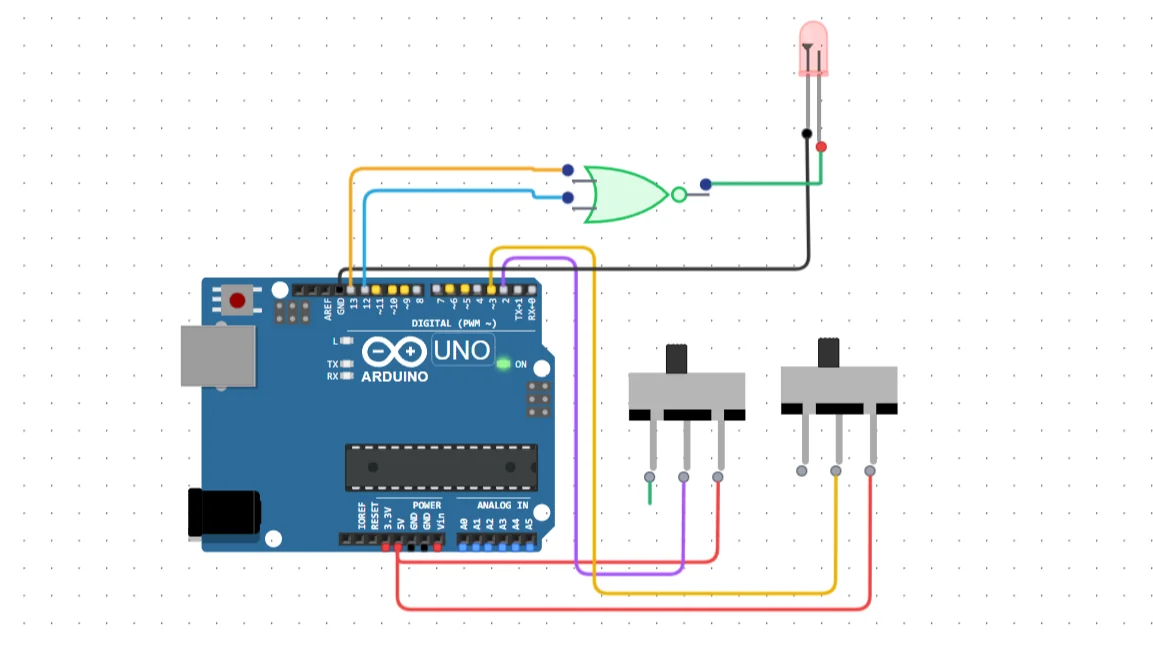 NOR Gate Connection
Slide Switch Connections
Switch 1:
Right→5VCOM→D2
Switch 2:
Right→5VCOM→D3
These switches act as digital inputs.
Arduino to NOR Gate
D13→ NOR Gate Input AD12→ NOR Gate Input B
Arduino sends HIGH / LOW signals based on switch state.
NOR Gate to LED
- NOR Gate Output (Y) → LED Anode
- LED Cathode →
GND
LED shows the output of the NOR gate.
Code
Upload the following Arduino code.
cppconst int swt1 = 2; const int swt2 = 3; const int input1 = 12; const int input2 = 13; int swt1State = 0; int swt2State = 0; void setup() { pinMode(input1, OUTPUT); pinMode(input2, OUTPUT); pinMode(swt1, INPUT); pinMode(swt2, INPUT); } void loop() { swt1State = digitalRead(swt1); swt2State = digitalRead(swt2); if (swt1State == HIGH) { digitalWrite(input1, HIGH); } else { digitalWrite(input1, LOW); } if (swt2State == HIGH) { digitalWrite(input2, HIGH); } else { digitalWrite(input2, LOW); } }
After writing the code, click Run from the toolbar to start the simulation.
Expected Behavior
Try different switch positions.
| Switch 1 | Switch 2 | LED |
|---|---|---|
| OFF | OFF | ON |
| ON | OFF | OFF |
| OFF | ON | OFF |
| ON | ON | OFF |
This confirms the correct working of the NOR logic gate.
Built-in Debugging in Ayantrik Lab
Ayantrik Lab provides a built-in debugging system that helps you detect problems in both the circuit and the code.
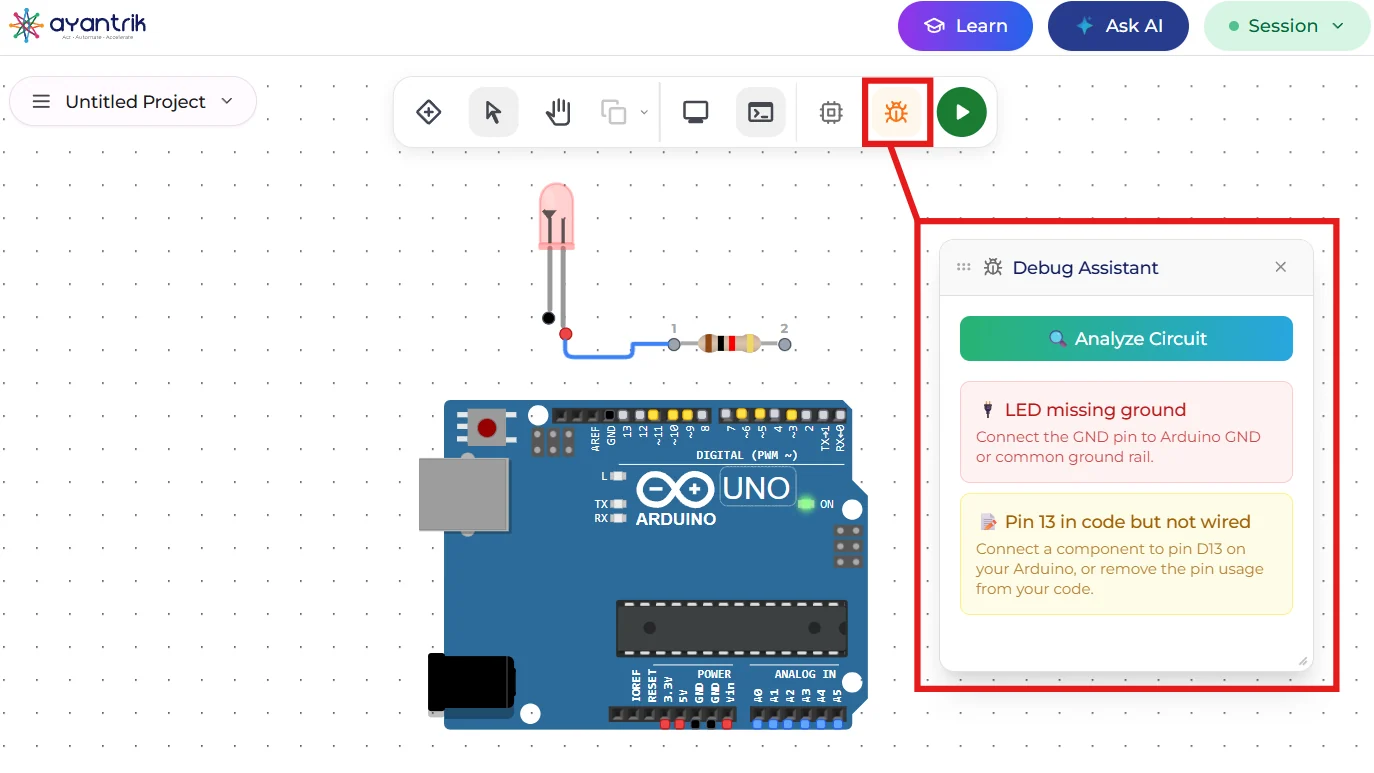 Built-in debugging tool
The debugger can find issues such as:
- Wrong connections
- Missing power or ground
- Incorrect pin mapping
- Code errors
This makes learning digital electronics easier, especially for beginners.
Conclusion
In this tutorial, we simulated a NOR Gate using Arduino in Ayantrik Lab.
You learned:
- Basic digital logic theory
- Truth table of NOR gate
- Using switches as inputs
- Controlling outputs using Arduino
- Understanding inverted logic
NOR gate is very important because it is a universal logic gate, and all other logic circuits can be built using NOR.
Try building more logic circuits like:
- AND Gate
- OR Gate
- NAND Gate
- XOR Gate
Happy learning with Ayantrik Lab!