Top 5 Free Online Arduino Simulators in 2026: Compare Browser Circuit Labs
Every electronics enthusiast, robotics student, and STEM educator knows the frustration: scorched microcontroller pins, loose breadboard jumpers, and weeks wasted waiting for replacement modules.
A single wiring slip—drawing excessive stall current from a 5V header, dropping a ground line, or sending a 5V logic spike into a 3.3V GPIO—can instantly destroy a development board.
Hardware simulation has evolved far beyond passive virtual breadboards. In 2026, modern platforms leverage generative AI to turn natural language prompts into complete, working schematics, diagnose and heal circuit wiring faults in real time, and deploy verified firmware directly to physical hardware over Web-Serial.
This guide breaks down the five leading online Arduino simulators, their strengths and limitations, and how to select the right platform for your learning and prototyping needs.
What Defines a Next-Generation Online Circuit Simulator?
Traditional simulators merely ran static code against basic virtual components. Next-generation tools must solve four core embedded engineering bottlenecks:
- AI Prompt-to-Prototyping: Generating complete, correctly wired breadboard schematics and corresponding firmware from a plain-text project description.
- Real-Time Circuit & Code Self-Healing: Detecting electrical missteps (floating ground lines, missing current-limiting resistors, bus collisions) and explaining how to fix them before components fry.
- Multi-Language Versatility: Native support for standard Arduino C++, Python, MicroPython, and pre-integrated community libraries.
- Direct Physical Flashing: Closing the loop between virtual sandbox and real-world deployment by programming physical boards via USB directly from the web browser.
The Top 5 Simulators at a Glance
| Simulator | Best For | Core Language Support | AI & Smart Debugging | Interactive Physics & Sensors | Hardware Deployment |
|---|---|---|---|---|---|
| Ayantrik | Prompt-to-prototype AI, robotics labs, multi-lingual embedded learning (Ages 7 to University) | Arduino C++, Python, MicroPython, Standard Libraries | Kriyant AI: Generates schematics from prompts & auto-detects circuit/code bugs | High (Dynamic loads, interactive sensor sliders) | Yes: Flash straight to physical boards via browser Web-Serial |
| Wokwi | Fast embedded IoT prototyping & custom chip emulation | C++, Rust, MicroPython | Basic syntax errors; no automated circuit design | Moderate (Visual components with logic traces) | Manual download of compiled binaries / hex |
| Tinkercad Circuits | Elementary school visual coding & fundamental circuits | Block-based coding & basic C++ | None (Basic run/stop notifications) | Low (Simplified visual components) | Export sketch file only |
| Proteus (Desktop) | Industrial PCB design & mixed-signal SPICE simulation | C, Assembly, Hex binaries | None (Requires manual schematic capture) | Extreme (Deep analog SPICE physics) | External hardware programmer required |
| Falstad | Pure analog electrical theory & AC signal visualization | None (Analog math and passive components only) | None (Visual current flow animation) | N/A (No microcontrollers or sensors) | N/A |
1. Ayantrik (Powered by Kriyant AI)
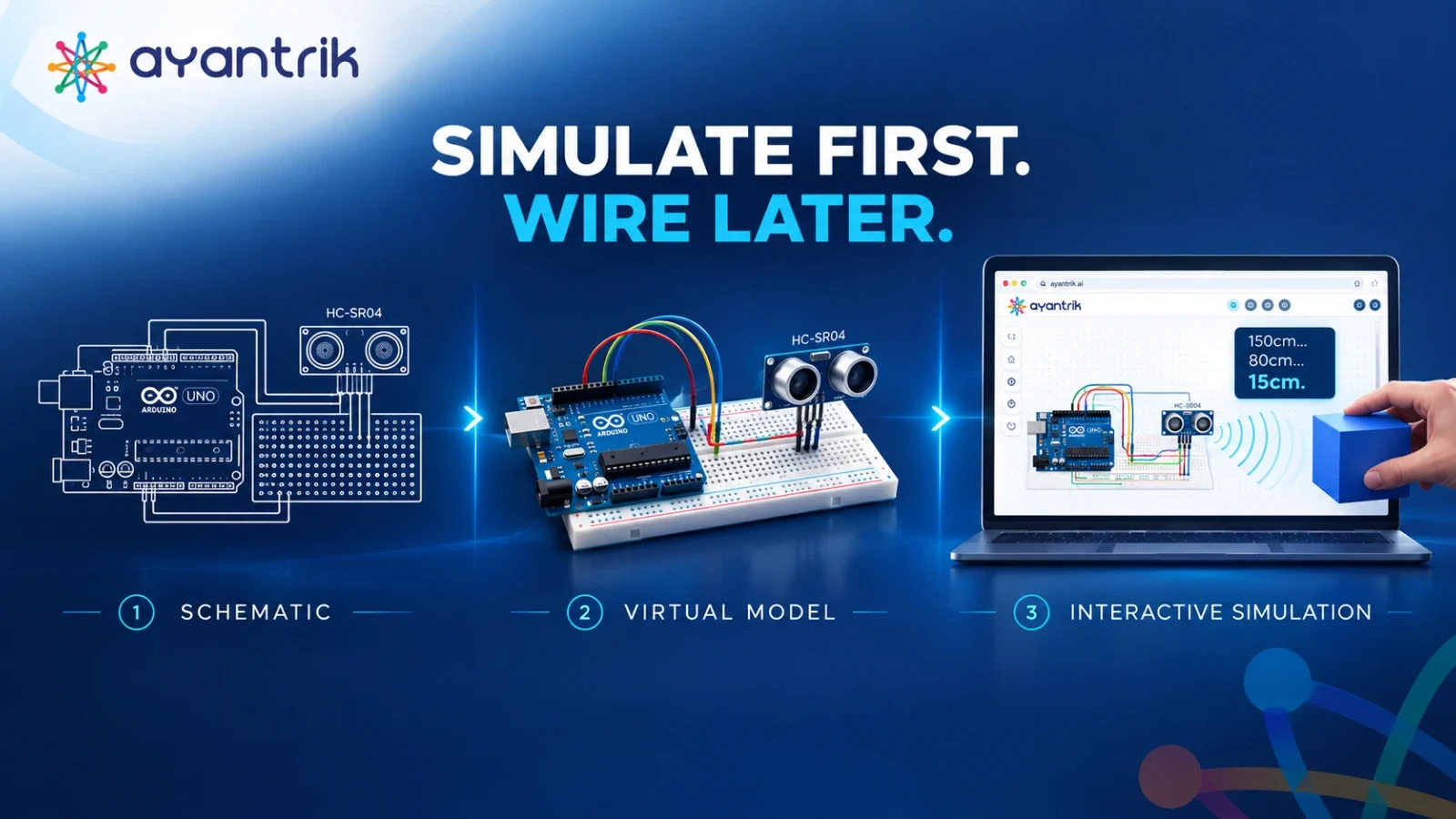
Ayantrik bridges the gap between conceptual robotics, virtual browser-based experimentation, and real physical hardware deployment. Built to serve learners from age 7 exploring their first sensor to university engineering teams designing autonomous rovers across multiple countries, it redefines the embedded learning curve.
What Sets Ayantrik Apart:
- Prompt-to-Prototype with Kriyant AI: Instead of hunting through component libraries, type your concept in natural language (e.g., "Build an obstacle-avoiding robot with an Arduino Uno, L298N motor driver, and HC-SR04 sensor"). Kriyant AI places the components, connects breadboard rails logically, and writes cleanly commented starter code.
- Real-Time Circuit Self-Healing: If you leave a reset pin floating or miswire a voltage divider, Kriyant AI flags the exact schematic flaw live on the canvas, explaining the electrical hazard before components take damage.
- Full Multi-Language Pipeline: Seamlessly switch between native Python, MicroPython, and Arduino C++, complete with popular sensor and motor control libraries pre-configured.
- Browser-to-Hardware Direct Flashing: Once your code runs and your virtual sensors respond cleanly, connect your physical Arduino or ESP32 via USB and flash the compiled firmware directly to the real board in one click—zero desktop driver setup required.
Ideal For: K-12 STEM educators, college robotics labs, hackathon teams, and hobbyists who want end-to-end prototyping from natural language prompt to physical execution.
2. Wokwi
Wokwi is a respected browser-based simulator in the developer community, celebrated for its lightweight execution and support for modern Wi-Fi microcontrollers like the ESP32, Raspberry Pi Pico, and STM32.
Strengths:
- Fast browser compilation speeds.
- Excellent simulation of ESP32 Wi-Fi and network requests.
- Supports advanced languages including Rust and MicroPython alongside C++.
Limitations:
- Interface relies heavily on manual JSON configuration (
diagram.json) for custom wiring adjustments. - Lacks automated AI circuit generation and active electrical error self-healing.
- Flashing physical boards requires external CLI utilities or exporting code back to a local IDE.
Ideal For: Intermediate embedded developers and IoT engineers looking to test Wi-Fi logic without breadboarding physical modules.
3. Autodesk Tinkercad Circuits
Tinkercad Circuits remains a widely recognized introductory tool in elementary and middle school classrooms.
Strengths:
- Highly accessible block-coding interface for young children.
- Drag-and-drop 3D-styled components mimic physical starter kits.
- Seamless integration with Autodesk's 3D design and 3D printing ecosystem.
Limitations:
- Limited to legacy 8-bit microcontrollers (Arduino Uno / ATmega328P); lacks ESP32, STM32, or modern ARM chips.
- Code editor does not support advanced libraries, Python, or interactive hardware debugging.
- Cannot deploy code to physical boards directly from the browser canvas.
Ideal For: Primary and middle school classrooms introducing elementary circuit logic.
4. Proteus VSM (Desktop Software)
Proteus by Labcenter Electronics is an established desktop tool in university electrical engineering programs.
Strengths:
- Deep SPICE-level analog and mixed-signal electrical simulation.
- Comprehensive PCB layout, routing, and Gerber manufacturing export suite.
- Accurate microprocessor cycle timing and interactive virtual instrumentation (oscilloscopes, logic analyzers).
Limitations:
- Expensive institutional or commercial desktop license.
- Demands substantial computing resources and Windows installation; unusable on Chromebooks or mobile devices.
- Steep learning curve unsuited for rapid robotics prototyping or early-stage STEM learners.
Ideal For: Advanced university courses focused on board fabrication, power electronics, and mixed-signal PCB design.
5. Falstad Circuit Simulator
Falstad is an open-source, web-based tool dedicated to visualizing electrical engineering theory.
Strengths:
- Real-time animated visualization of current flow, voltage potential, and AC frequency response.
- Vast library of pre-built analog circuits (op-amps, 555 timers, RLC filters, transistors).
- Completely free and lightweight in any browser.
Limitations:
- No microcontroller support (cannot run Arduino, C++, or Python code).
- Lacks digital sensors, motors, and robotics components.
Ideal For: Visualizing analog circuit math, passive filters, and transistor switching behavior.
Summary Verdict: Which Simulator Fits Your Workflow?
- If you are teaching fundamental electronics theory, use Falstad to visualize current flows.
- If you are teaching block coding to elementary students, Tinkercad offers simple visual mechanics.
- If you are an experienced programmer writing custom ESP32 IoT firmware, Wokwi provides a swift testing environment.
- If you want to eliminate the gap between ideation and working hardware—using AI to generate schematics from prompts, auto-healing circuit errors, coding in C++ or Python, and flashing verified builds directly onto physical boards—Ayantrik provides the most capable browser-based platform.
Ready to Prototype Without Hardware Burnout?
Experience prompt-to-prototype robotics. Open the Ayantrik Virtual Lab, describe your idea to Kriyant AI, and see your fully wired schematic and code execute live in your browser.