Whether building an obstacle-avoiding robot, an automated parking assistant, or a contactless distance meter, the HC-SR04 Ultrasonic Distance Sensor is typically the very first sensor an embedded engineer or robotics student learns to master.
However, many beginner builds fail due to floating connections, timing misconceptions in firmware, or unexpected power dips. In this comprehensive guide, we cover how the HC-SR04 works, how to wire it correctly to an Arduino Uno, the exact timing code needed, and how to test your entire circuit in a browser-based virtual lab before buying physical parts.
How the HC-SR04 Sensor Works (The Physics)
The HC-SR04 measures distance using echolocation, similar to bats and marine sonar systems. It features two cylindrical metal transducers:
- Transmitter (T): Emits an ultrasonic sound burst at 40 kHz.
- Receiver (R): Listens for the reflected echo bouncing back from an obstacle.
The Working Sequence:
- The Arduino sets the sensor's Trig (Trigger) pin
HIGHfor at least 10 microseconds (µs). - The HC-SR04 automatically transmits an 8-cycle sonic burst at 40 kHz.
- As soon as the sound wave leaves, the sensor pulls its Echo pin
HIGH. - The Echo pin stays
HIGHuntil the sound wave hits an object and returns to the receiver. - The duration the Echo pin remains
HIGHcorresponds to the total round-trip travel time.
The Distance Formula:
Sound travels through dry air at approximately 343 m/s () at room temperature ().
Because the sound travels to the object and back, divide the total travel time by 2:
Hardware Pinout & Specifications
| Pin Name | Function | Arduino Uno Pin Connection |
|---|---|---|
| VCC | Operating Power (+5V DC) | 5V |
| Trig | Trigger Input (Sends ultrasonic burst) | Digital Pin 9 |
| Echo | Echo Output (Signal return pulse) | Digital Pin 10 |
| GND | Ground Reference | GND |
Key Specifications:
- Operating Voltage: 5V DC
- Operating Current: 15 mA
- Measuring Range: 2 cm to 400 cm (~1 inch to 13 feet)
- Effective Angle: < 15°
- Resolution: 0.3 cm
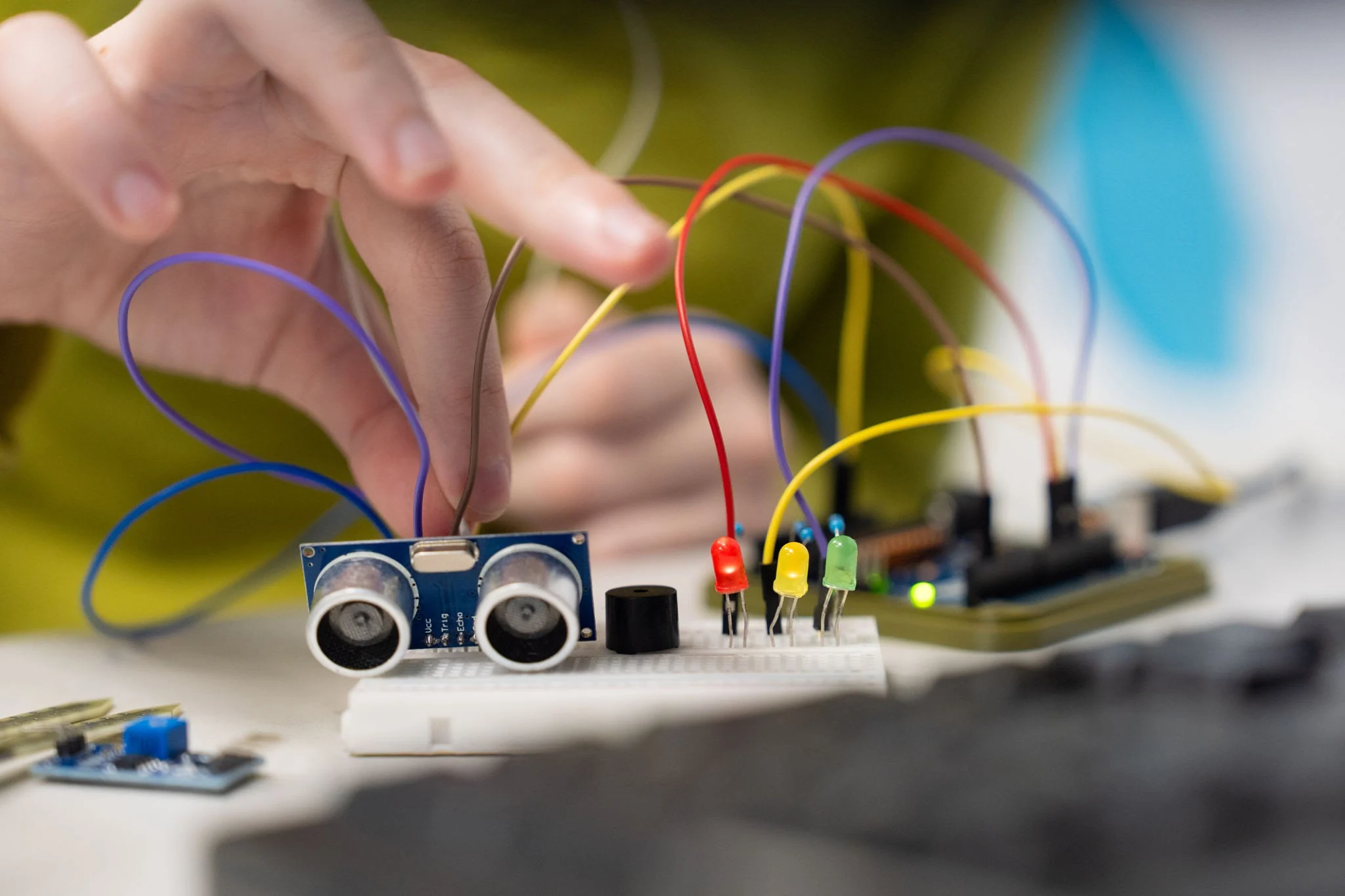 HC-SR04
Circuit Connection Diagram
Connect the sensor directly to the Arduino Uno using male-to-female or male-to-male jumper wires via a breadboard:
text+-----------------------------+ | HC-SR04 Sensor | | [VCC] [Trig] [Echo] [GND] | +-----+------+------+-----+---+ | | | | | | | +------------------> Arduino GND | | +------------------------> Arduino Pin 10 | +-------------------------------> Arduino Pin 9 +--------------------------------------> Arduino 5V
Pro Tip: While the HC-SR04 operates cleanly on 5V, note that the Echo pin outputs a 5V logic signal. If you later port this project to a 3.3V board (such as an ESP32 or Raspberry Pi Pico), run the Echo line through a simple two-resistor voltage divider (1kΩ and 2kΩ) to protect 3.3V GPIO pins.
Arduino Sketch: Complete Working Code
Copy and paste this sketch directly into your Arduino IDE or your Ayantrik workspace:
cpp/* * Interfacing HC-SR04 Ultrasonic Sensor with Arduino Uno * Outputs calculated distance in centimeters to Serial Monitor. * Compatible with Ayantrik Virtual Simulator. */ const int trigPin = 9; const int echoPin = 10; long durationMicroseconds; float distanceCentimeters; void setup() { // Initialize serial communication at 9600 baud Serial.begin(9600); // Set pin directions pinMode(trigPin, OUTPUT); pinMode(echoPin, INPUT); } void loop() { // 1. Clear the trigger pin to ensure a clean pulse digitalWrite(trigPin, LOW); delayMicroseconds(2); // 2. Trigger the sensor by pulling Trig HIGH for 10 microseconds digitalWrite(trigPin, HIGH); delayMicroseconds(10); digitalWrite(trigPin, LOW); // 3. Read travel time in microseconds from the Echo pin // A 30,000 µs (30 ms) timeout prevents execution blocking if out of range durationMicroseconds = pulseIn(echoPin, HIGH, 30000); // 4. Calculate distance if (durationMicroseconds == 0) { Serial.println("Out of range or sensor timeout!"); } else { distanceCentimeters = (durationMicroseconds * 0.0343) / 2.0; // 5. Output results to Serial Monitor Serial.print("Distance: "); Serial.print(distanceCentimeters, 1); Serial.println(" cm"); } // Delay before next measurement cycle (minimum recommended: 60ms) delay(100); }
Testing Virtually in Ayantrik (Before Building on Hardware)
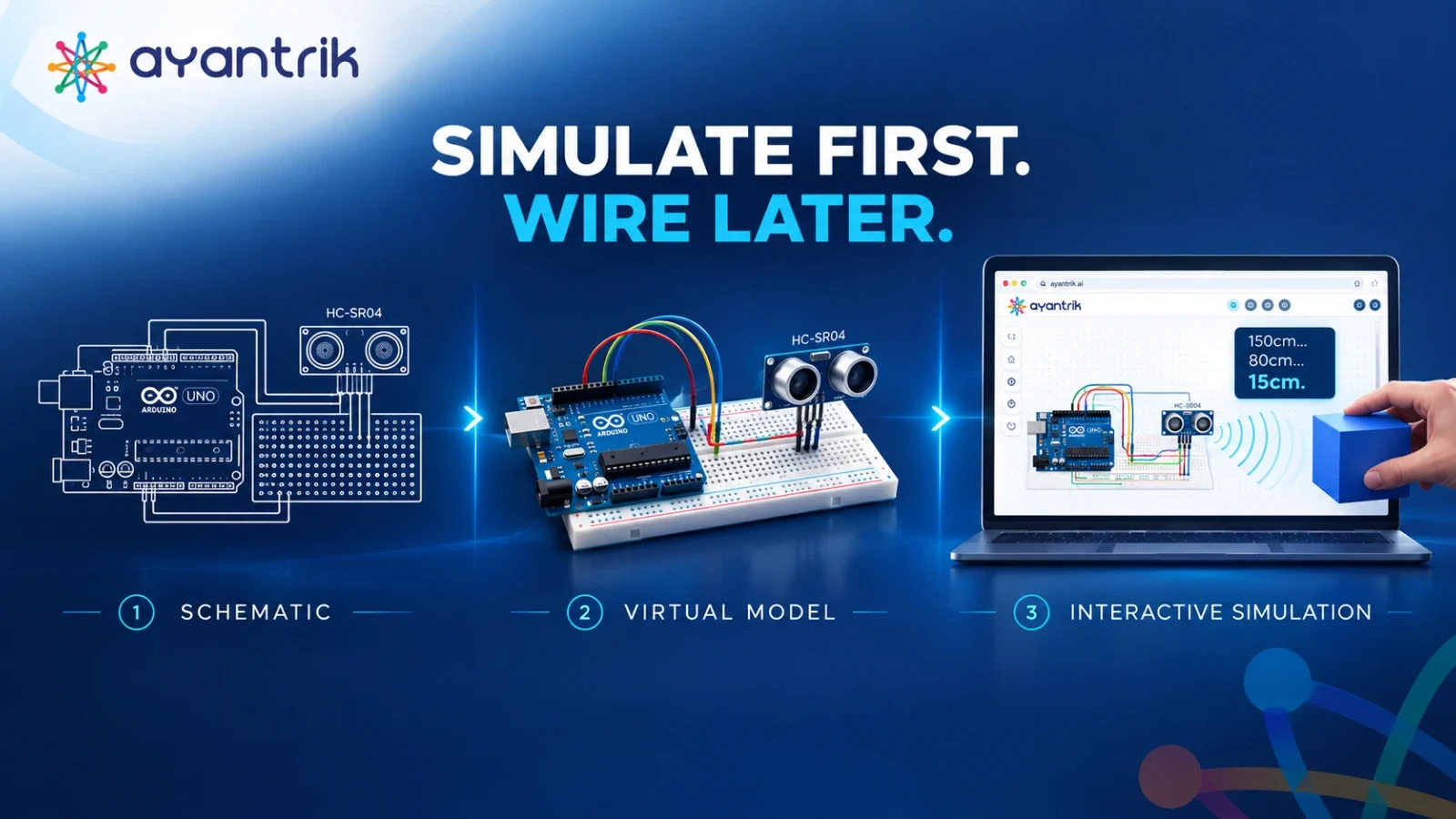
Before purchasing hardware modules, stripping jumper cables, or wondering why your board disconnects, simulate the circuit virtually in Ayantrik:
- Zero Component Cost: Wire an Arduino Uno, breadboard, and HC-SR04 inside Ayantrik’s interactive canvas without fear of burning pins or loose ground connections.
- Interactive Object Distance Slider: Drag a virtual obstacle back and forth in real-time to watch ultrasonic waves bounce and verify Serial Monitor updates instantly.
- Firmware Verification: Test edge cases—such as sudden out-of-range dropouts, timeouts, or high-frequency polling errors—right in the web browser.
3 Common Mistakes to Avoid
- Skipping the
pulseInTimeout:
The defaultpulseIn(pin, HIGH)blocks execution for up to 1 full second if no echo returns. Supplying a timeout likepulseIn(echoPin, HIGH, 30000)keeps your loop responsive if an obstacle is beyond 4 meters. - Polling Too Fast:
Allowing fewer than 50–60 ms between readings causes the echo from the previous pulse to interfere with the new pulse, producing erratic distance spikes. - Target Angle Inaccuracies:
Ultrasonic pulses reflect away from smooth, angled surfaces instead of bouncing back to the receiver. For best accuracy, test against flat surfaces perpendicular to the sensor.
Ready to Test This Circuit?
Launch your browser, open the Ayantrik Virtual Lab, and load this pre-built HC-SR04 schematic to experiment with distance readings and verify your code in seconds.