TL;DR:
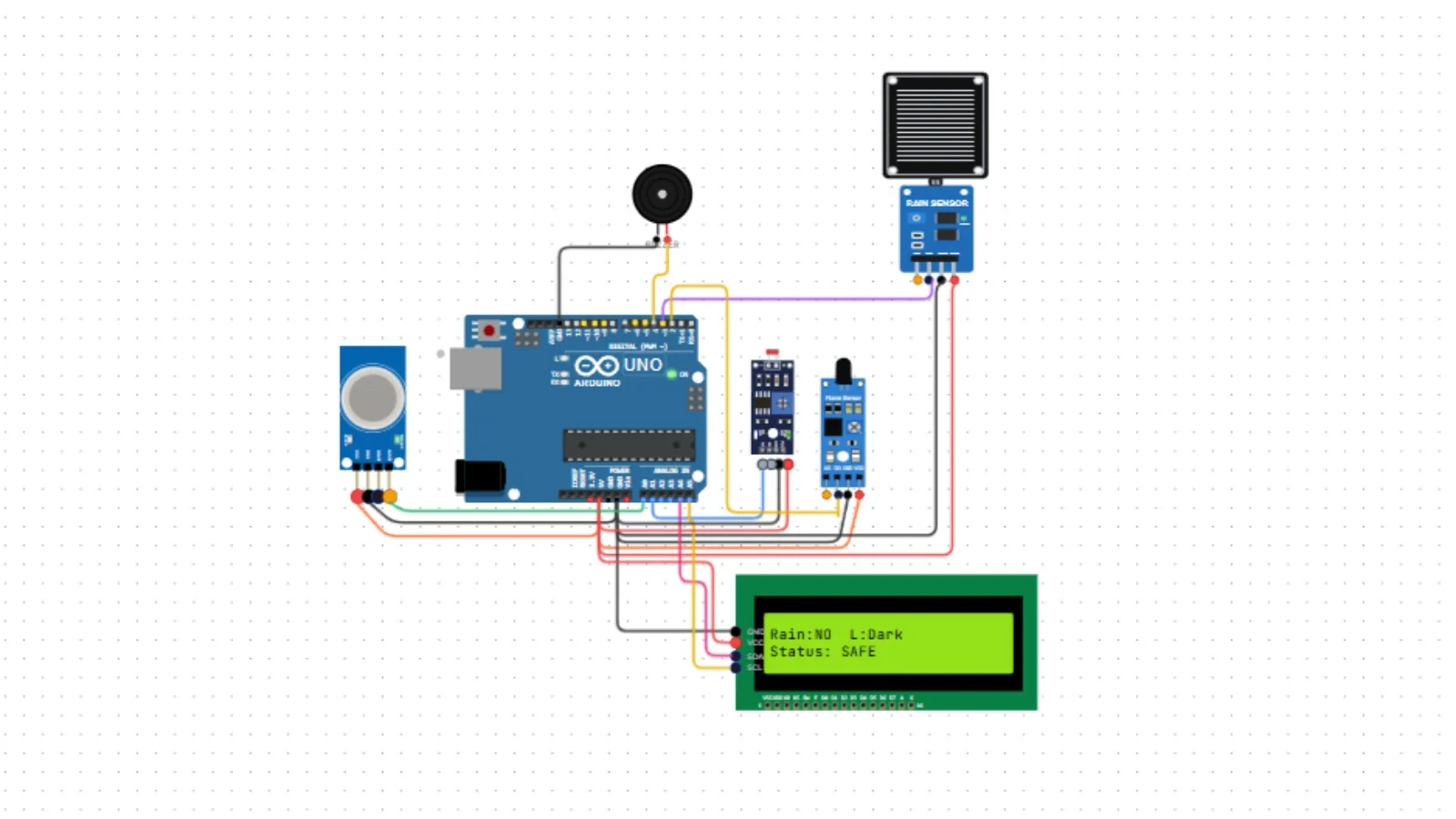
We built a smart home monitoring system using Arduino, gas sensor, flame sensor, rain sensor, LDR, LCD, and buzzer.
The system detects dangerous conditions and shows live status on the display.
You can run the full simulation in Ayantrik Lab without hardware.
The Problem / Why This Matters
Modern homes use multiple sensors to detect unsafe conditions such as:
- Gas leakage
- Fire
- Rain entering the house
- Darkness / light changes
Commercial smart home systems are expensive and difficult to experiment with.
Students often cannot test these systems because hardware kits are limited.
Using a virtual lab, we can simulate a complete smart home system directly in the browser.
In this project, we build a Smart Home Automation System using Ayantrik Lab.
What We’re Building
A system which will:
- Detect gas leakage using MQ-2 sensor
- Detect fire using flame sensor
- Detect rain using rain sensor
- Detect light using LDR
- Show status on LCD
- Trigger buzzer on danger
Prerequisites
Components used in Ayantrik Lab:
- Arduino Uno
- MQ-2 Gas Sensor
- Flame Sensor
- Rain Sensor
- LDR Sensor
- LCD 16x2 (I2C)
- Buzzer
Step to create the project in Ayantrik Lab
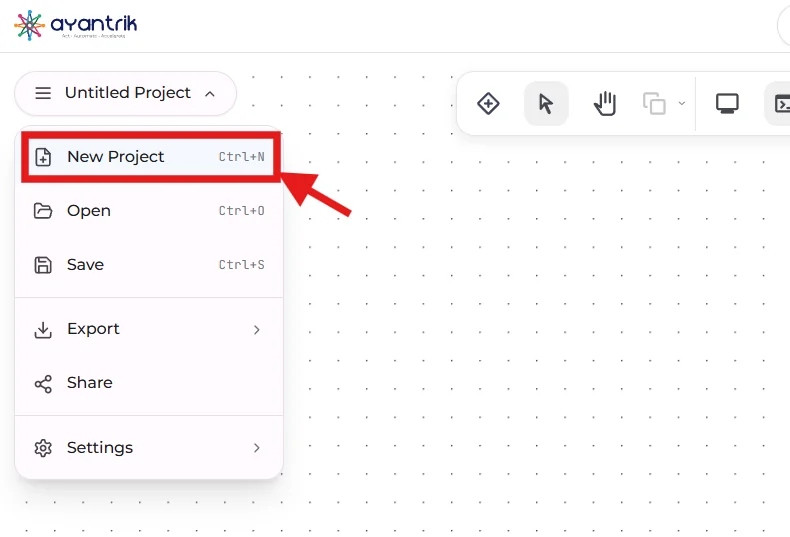
1. Open a new project in Ayantrik Lab
Click New Project from dashboard.
 Create
2. Click Add Components
 Toolbar
3. Add components
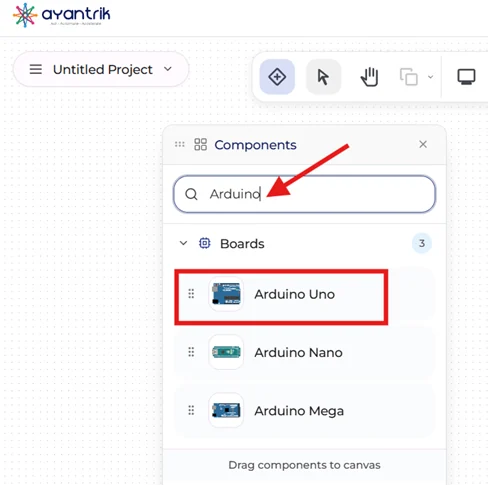 Components
- Arduino Uno
- MQ-2 Gas Sensor
- Flame Sensor
- Rain Sensor
- LDR
- LCD 16x2
- Buzzer
4. Connections
| Component | Pin |
|---|---|
| Gas AO | A0 |
| LDR AO | A1 |
| Flame DO | D2 |
| Rain DO | D3 |
| Buzzer | D4 |
| LCD SDA | A4 |
| LCD SCL | A5 |
| VCC | 5V |
| GND | GND |
5. Code
cpp#include <Wire.h> #include <LiquidCrystal.h> LiquidCrystal lcd(12, 11, 5, 4, 3, 2); #define GAS A0 #define LDR A1 #define FLAME 2 #define RAIN 3 #define BUZZER 4 void setup() { lcd.begin(16,2); pinMode(FLAME,INPUT); pinMode(RAIN,INPUT); pinMode(BUZZER,OUTPUT); lcd.print("Smart Home"); delay(1000); lcd.clear(); } void loop() { int gas = analogRead(GAS); int light = analogRead(LDR); bool flame = digitalRead(FLAME); bool rain = digitalRead(RAIN); lcd.setCursor(0,0); if(rain) lcd.print("Rain:YES "); else lcd.print("Rain:NO "); if(light < 200) lcd.print("L:Dark "); else lcd.print("L:Light"); lcd.setCursor(0,1); if(gas > 300 || flame){ lcd.print("ALERT!!! "); digitalWrite(BUZZER,HIGH); }else{ lcd.print("Status SAFE"); digitalWrite(BUZZER,LOW); } delay(300); }
Debugging in Ayantrik Lab
Ayantrik Lab includes a built-in debugging system that checks both circuit wiring and code before simulation runs.
The debugger can detect:
- Missing VCC / GND connections
- Wrong pin connections
- Unsupported wiring
- Compilation errors
- Invalid code
This helps you fix problems before running the project.
When working with multiple sensors like this smart home system, debugging makes development much easier compared to real hardware.
Conclusion
In this project, we built a smart home automation system using multiple sensors to monitor gas, fire, rain, and light conditions.
With Ayantrik Lab, the complete circuit can be created, tested, and debugged directly in the browser without using physical hardware.
This makes it easier to learn electronics, try complex projects, and fix mistakes quickly, making virtual labs a useful tool for students, teachers, and developers.