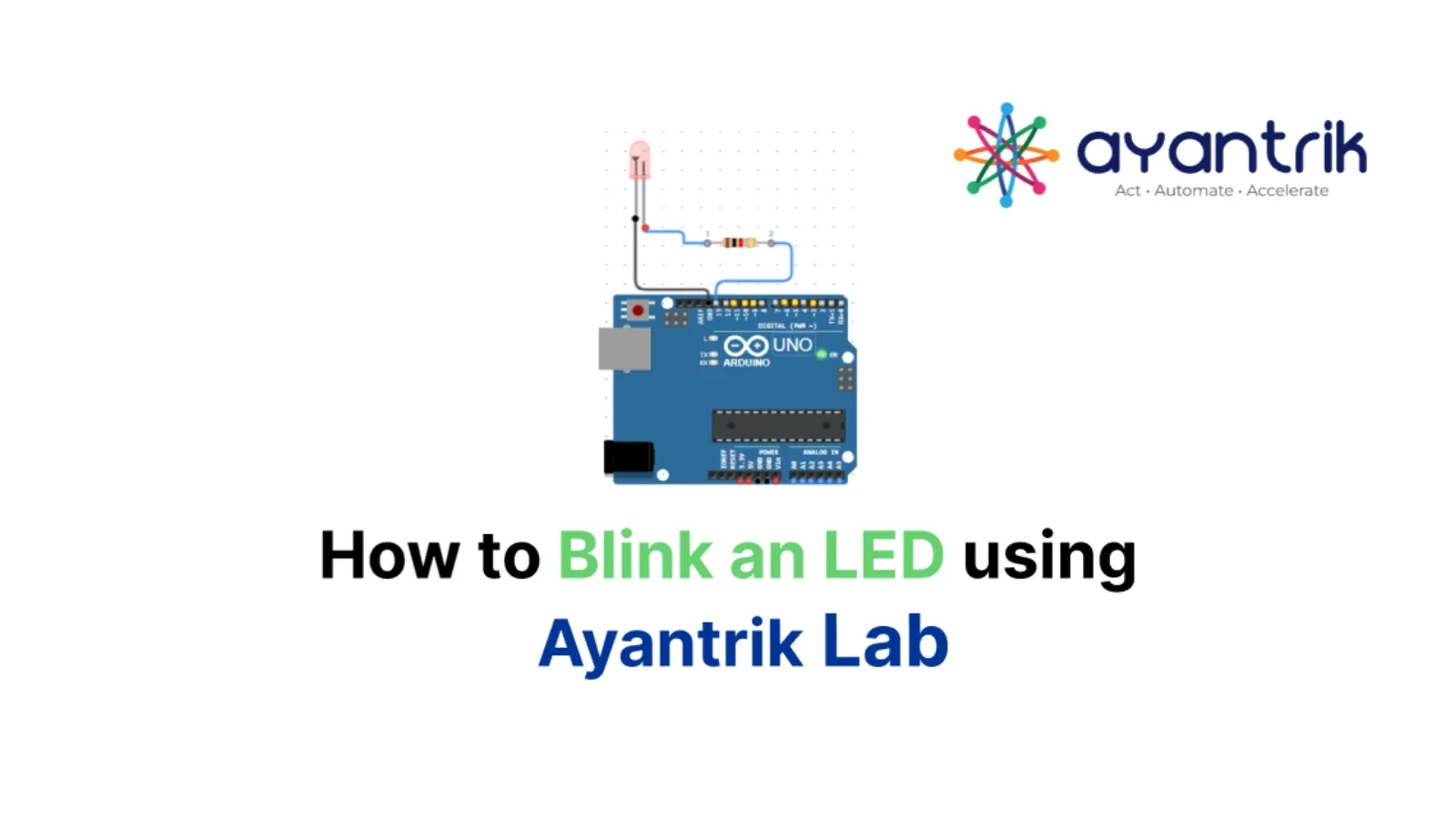
TLDR: We are building the foundational microcontroller circuit: making an LED blink. By wiring an LED and a current-limiting resistor to digital pin 13, we use a simple Arduino C++ loop to toggle the voltage state every 500 milliseconds, causing the LED to turn ON and OFF continuously.
The Problem / Why This Matters
Before building complex robotics systems or IoT devices, the first thing you must confirm is that your entire hardware–software pipeline works correctly.
That includes verifying that:
- Your code compiles successfully
- The program uploads to the Arduino board
- The microcontroller can control electrical signals
- The circuit responds to those signals correctly
The classic LED Blink program is the electronics equivalent of printing “Hello, World!” in programming.
If the LED blinks successfully, it proves that:
- Your Arduino IDE is configured correctly
- Your USB connection works
- Your board can manipulate voltage on digital pins
- Your circuit wiring is correct
In short, it confirms your development environment is ready for more complex projects.
This tutorial assumes zero prior experience with Arduino or microcontrollers.
Prerequisites
To follow this tutorial, you will need the following components:
- 1× Arduino Uno (or compatible board)
- 1× Standard LED
- 1× 1kΩ Resistor
- Jumper wires
- Arduino IDE
In this guide, the circuit is built using Ayantrik Lab simulation, so you do not need physical hardware. (Try it here)
Steps to Create the Project in Ayantrik Lab
1. Open a New Project
Open Ayantrik Lab and create a new project workspace.
2. Add Components
Click on the Add Components option from the toolbar.
 Tool bar
3. Drag and Drop Components
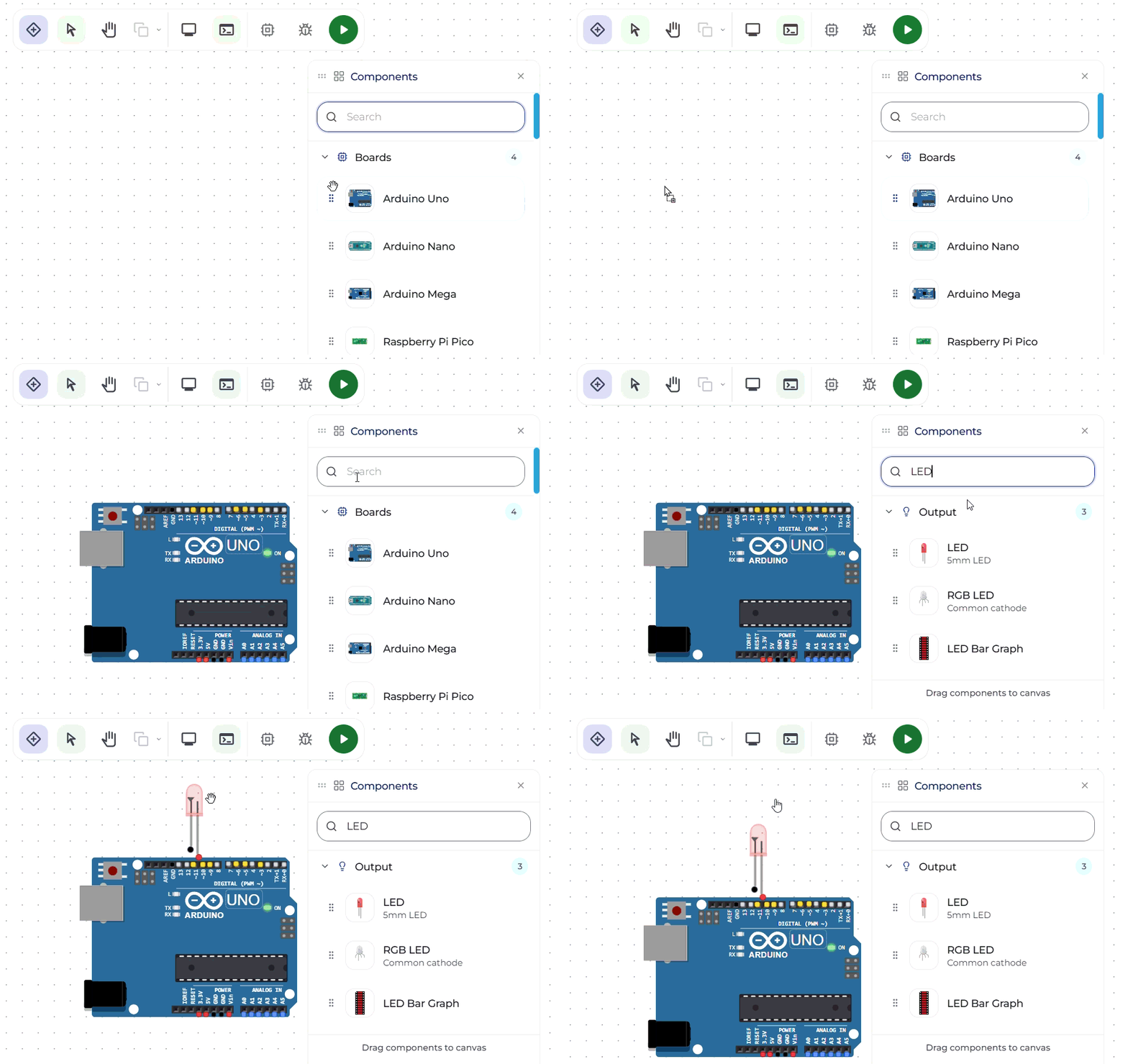 Drag and Drop Components
Search for the following components and drag them onto the canvas:
- Arduino Uno
- LED
- Resistor
Arrange them on the workspace so that wiring becomes easier.
4. Make the Circuit Connections
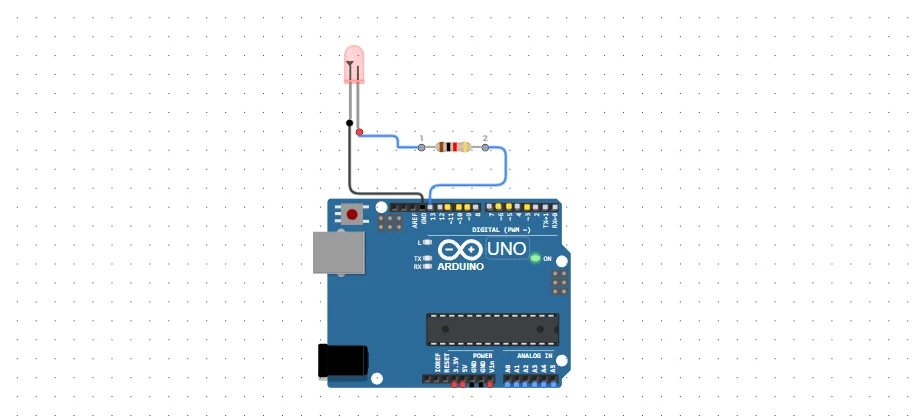 LED blink connections
Connect the components as shown below:
- LED (-ve) → GND pin (Arduino Uno)
- LED (+ve) → One end of the Resistor
- Resistor (other end) → Pin 13 (Arduino Uno)
This completes the electrical circuit.
5. Write the Code
Now open the code editor and upload the following Arduino program.
cpp// Hardware Hello World - LED Blink // Toggles Pin 13 every 500ms void setup() { // Initialize serial communication at 9600 bits per second for debugging Serial.begin(9600); // Configure pin 13 to behave as an output pinMode(13, OUTPUT); } void loop() { digitalWrite(13, HIGH); // Turn the LED ON (5V output) delay(500); // Wait for 500 milliseconds digitalWrite(13, LOW); // Turn the LED OFF (0V output) delay(500); // Wait for 500 milliseconds }
How the Code Works
The program contains two important Arduino functions:
setup()
This function runs once when the Arduino starts.
- Start serial communication for debugging
- Configure Pin 13 as an OUTPUT pin
loop()
This function runs continuously forever.
The sequence is:
- Set Pin 13 HIGH → LED turns ON
- Wait 500 milliseconds
- Set Pin 13 LOW → LED turns OFF
- Wait 500 milliseconds
- Repeat forever
This creates the visible blinking effect.
Expected Result
When the simulation starts, the LED will:
- Turn ON for 500 milliseconds
- Turn OFF for 500 milliseconds
- Continue blinking repeatedly
This confirms that the Arduino is successfully controlling the circuit.
Built-in Debugging in Ayantrik Lab
One of the useful features of Ayantrik Lab is its built-in debugging capability.
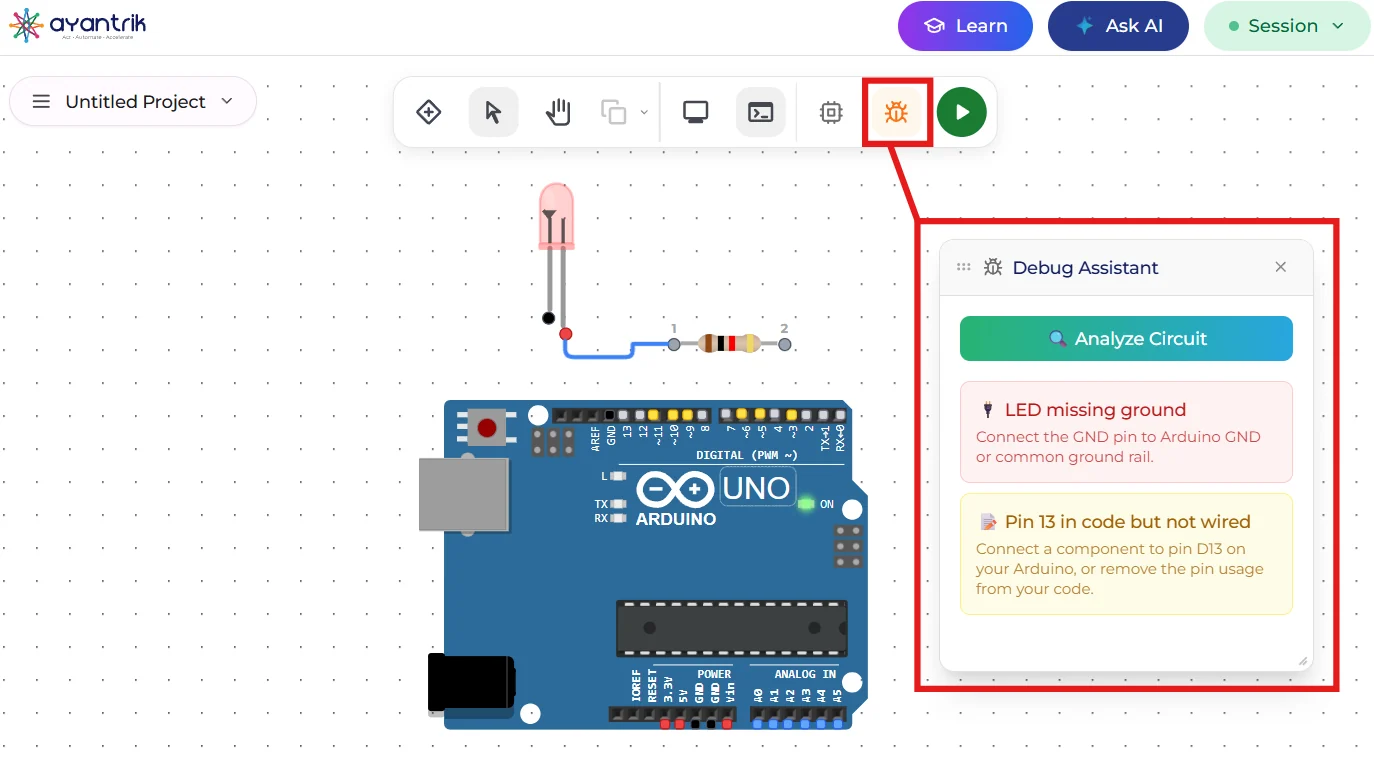 debug
debug
The platform can help identify issues in both:
- Circuit connections
- Program code
If something is wired incorrectly or if the program has a configuration issue, the debugging system helps highlight the problem. This makes troubleshooting much easier, especially for beginners learning electronics and microcontrollers.
Conclusion
In this tutorial, we built the classic LED Blink circuit using Ayantrik Lab.
This simple project demonstrated key concepts such as:
- Basic circuit wiring
- Using resistors to limit current
- Controlling digital output pins
- Writing a simple Arduino program
Even though this is a beginner project, it forms the foundation for more advanced Arduino systems, including robotics, automation, and IoT devices.
Now that your first circuit works, you can explore more experiments using multiple LEDs, sensors, buttons, and motors inside Ayantrik Lab.