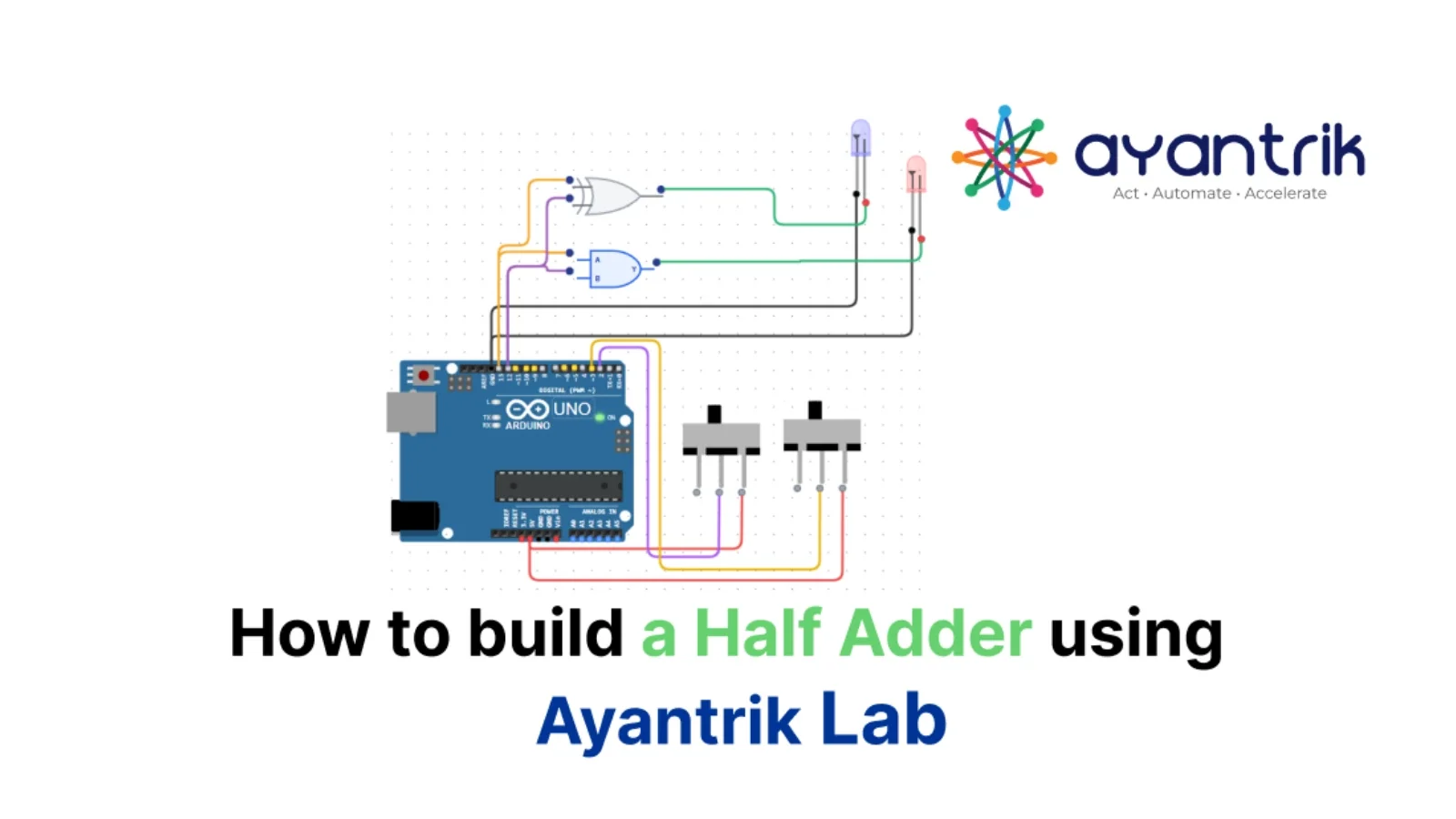
TL;DR: In this project we simulate a Half Adder circuit using Arduino, two slide switches, XOR gate, AND gate, and two LEDs in Ayantrik Lab. The switches act as inputs, XOR produces the Sum, AND produces the Carry, and the LEDs show the result of binary addition.
The Problem / Why This Matters
Digital electronics is built using logic gates, and arithmetic operations inside computers are done using special circuits called Adders.
Adders are used in:
- Computers
- Microprocessors
- Calculators
- Digital systems
- Embedded devices
Before learning full adders and ALU design, we must understand the Half Adder, which is the simplest binary addition circuit.
A Half Adder adds two binary inputs and produces:
- Sum
- Carry
In this tutorial, we simulate a Half Adder using Ayantrik Lab, so we can understand how binary addition works without building the circuit physically.
Basic Theory of Half Adder
A Half Adder is a digital circuit that adds two binary digits.
Inputs:
- A
- B
Outputs:
- Sum (S)
- Carry (C)
Half adder uses:
- XOR gate → Sum
- AND gate → Carry
Boolean Expressions
-
S = A ⊕ B -
C = A · B
Where
- XOR gives Sum
- AND gives Carry
Truth Table of Half Adder
| A | B | Sum (S) | Carry (C) |
|---|---|---|---|
| 0 | 0 | 0 | 0 |
| 0 | 1 | 1 | 0 |
| 1 | 0 | 1 | 0 |
| 1 | 1 | 0 | 1 |
Explanation:
- Different inputs → Sum = 1
- Both HIGH → Carry = 1
In this project:
- Slide Switch 1 → Input A
- Slide Switch 2 → Input B
- XOR Gate → Sum
- AND Gate → Carry
- Blue LED → Sum
- Red LED → Carry
Prerequisites
Components used in this project:
- Arduino Uno
- 2 Slide Switches
- XOR Gate
- AND Gate
- 2 LEDs
All components are available in Ayantrik Lab component library.
Steps to Create the Project in Ayantrik Lab
1. Open a New Project
Open Ayantrik Lab and create a new project.
 Create New Project
2. Add Components
Click Add Components from the toolbar.
 Toolbar
Search and drag the following components:
- Arduino Uno
- 2 Slide Switches
- XOR Gate
- AND Gate
- 2 LEDs
Arrange them properly on the canvas.
3. Make the Circuit Connections
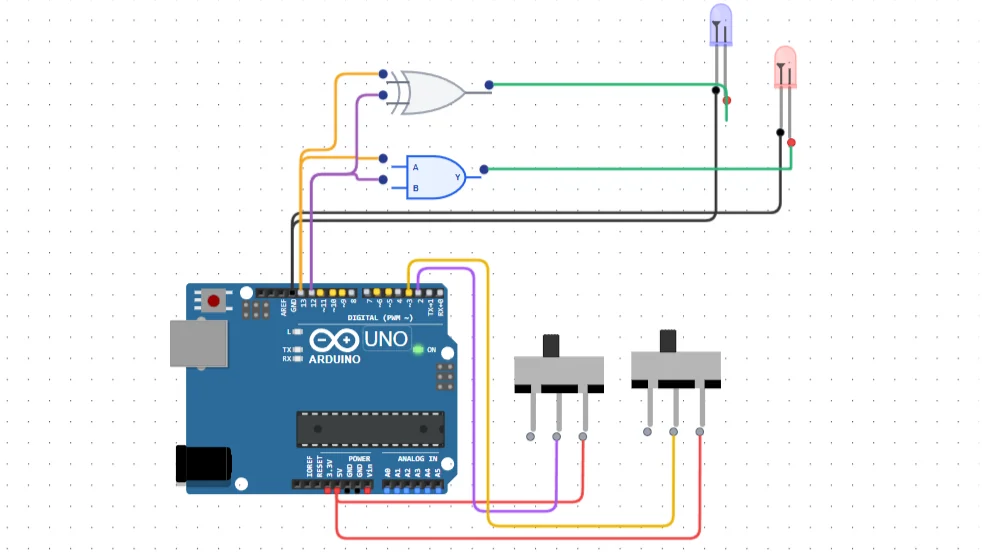 Half Adder connection
Slide Switch Connections
Switch 1:
Right→5VCOM→D2
Switch 2:
Right→5VCOM→D3
These switches act as inputs.
Arduino to Gates
-
D13→ XOR Input A -
D12→ XOR Input B -
D13→ AND Input A -
D12→ AND Input B
Arduino sends HIGH / LOW to both gates.
Gate Outputs to LEDs
XOR Output → Blue LED (Sum)
AND Output → Red LED (Carry)
LED cathodes → GND
Code
Upload the following Arduino code.
cppconst int swt1 = 2; const int swt2 = 3; const int input1 = 12; const int input2 = 13; int swt1State = 0; int swt2State = 0; void setup() { pinMode(input1, OUTPUT); pinMode(input2, OUTPUT); pinMode(swt1, INPUT); pinMode(swt2, INPUT); } void loop() { swt1State = digitalRead(swt1); swt2State = digitalRead(swt2); if (swt1State == HIGH) { digitalWrite(input1, HIGH); } else { digitalWrite(input1, LOW); } if (swt2State == HIGH) { digitalWrite(input2, HIGH); } else { digitalWrite(input2, LOW); } }
Click Run to start simulation.
Expected Behavior
| A | B | Sum LED | Carry LED |
|---|---|---|---|
| 0 | 0 | OFF | OFF |
| 0 | 1 | ON | OFF |
| 1 | 0 | ON | OFF |
| 1 | 1 | OFF | ON |
This confirms correct Half Adder operation.
Built-in Debugging in Ayantrik Lab
Ayantrik Lab has a built-in debugging feature that checks:
- Circuit connections
- Pin mapping
- Missing power
- Code errors
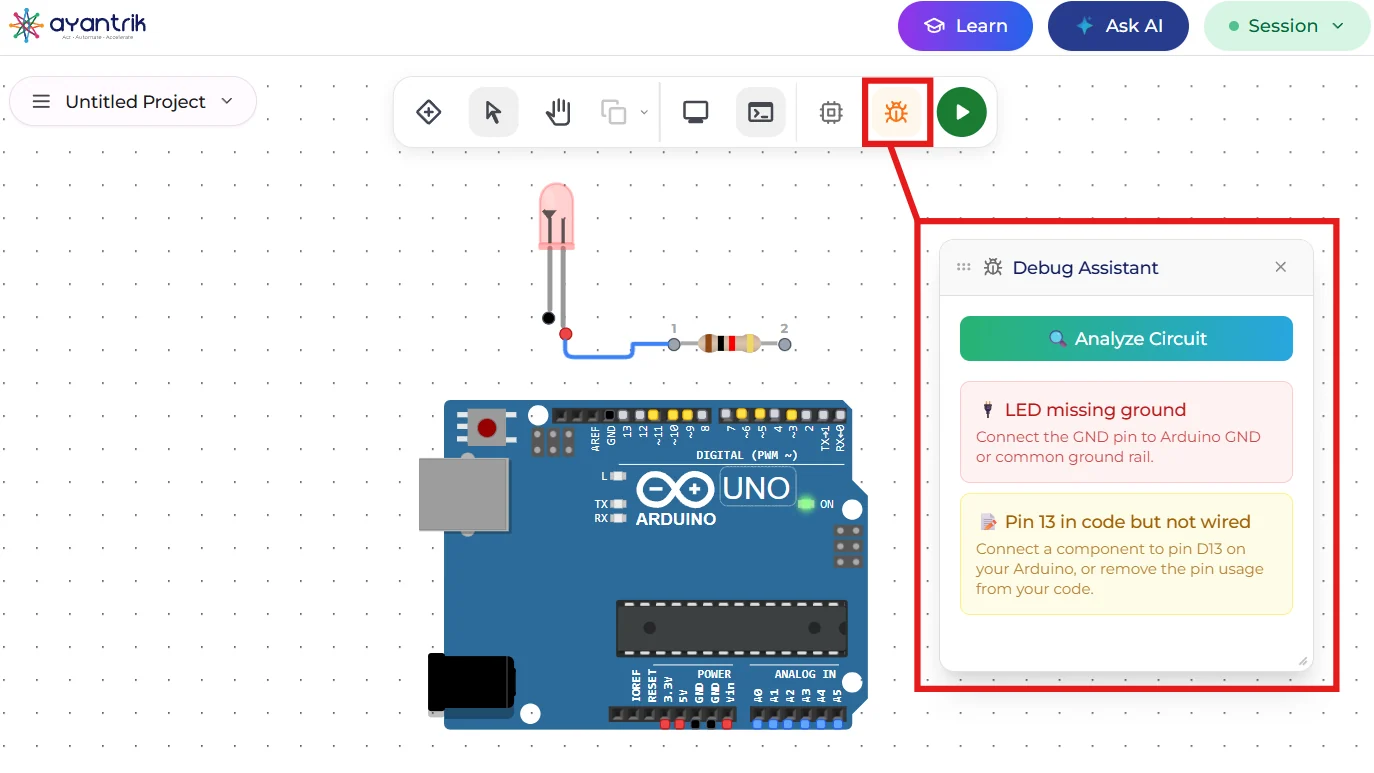 Built-in debugging tool
This makes it easy to learn digital electronics without hardware mistakes.
Conclusion
In this tutorial, we simulated a Half Adder using Arduino in Ayantrik Lab.
You learned:
- Binary addition basics
- XOR for Sum
- AND for Carry
- Truth table of Half Adder
- How adders work in digital circuits
Half adders are used in:
- Full adders
- ALU circuits
- CPUs
- Digital processors
Next you can try:
- Full Adder
- Subtractor
- Multiplexer
- Decoder
- Flip-Flops
Happy learning with Ayantrik Lab !